If you are shopping for the best laptops for light gaming, you probably do not need a flagship machine. Casual and esports-style games, indie titles and older favorites ask far less of a laptop than the latest heavyweight releases, so a lower graphics tier can be a smart, cheaper choice. This guide focuses on entry-level options: RTX 5050 and RTX 5060 laptops, plus one integrated-graphics alternative for people who want something lighter and longer-lasting. One honest note up front: our picks come from published specs and reviewer feedback, not hands-on testing, and our data does not include frame rates, so we make no fps or benchmark claims. Prices are approximate, were not live-checked, and laptop prices change quickly.
How We Picked: What Matters for Casual Gaming
GPU tier. For casual and esports-class play, an RTX 5050 or RTX 5060 is a sensible ceiling; paying for more mostly buys headroom you may never use. RAM and storage. 16GB of RAM is a comfortable floor, and 512GB fills up faster than expected once a few games are installed, so a 1TB drive or an open M.2 slot is a plus. Weight and battery. Light gamers often carry the laptop to class, work or a friend’s place, so portability matters more than it does for a desk-bound rig. Power limits. The same GPU name can run at very different wattages, which affects heat and noise. Exact configuration. Model names often cover several variants with different CPUs, RAM and prices, so confirm the specs on the listing before buying.
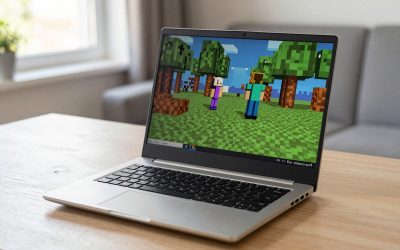
Budget Pick: Lenovo LOQ 15IRX10 (RTX 5050)
This configuration lists a Core i5-13450HX, an RTX 5050 Laptop GPU (8GB GDDR7), 16GB of DDR5 and a 512GB SSD in a 15.6-inch body with a 1080p, 144Hz IPS screen rated at 300 nits. Reported pricing is around $899.99, though prices conflict across sources, so check before you buy. The weight is about 5.29 lb with a 60Wh battery.
Pros: Among the cheapest full-power RTX 5050 options in our data; two SO-DIMM and two M.2 slots for upgrades; Ethernet and a good port selection; Notebookcheck rated it 78 percent. Cons: Heavy, plastic build, and only about 4.5 hours of Wi-Fi runtime in one review. Best for: Casual players who want the lowest price of entry and room to upgrade later.
Upgrade-Friendly Alternative: Acer Nitro V 15 ANV15-52 (RTX 5050)
The i7-13620H version lists an RTX 5050 (8GB, 75W TGP), 16GB of DDR4 and a 15.6-inch 1080p, 165Hz IPS display. A price of about $969 was reported in a roundup. It weighs about 4.66 lb, and the RTX 5050 units appear to ship with a 76Wh battery; Notebookcheck measured roughly 5 hours 28 minutes of Wi-Fi use.
Pros: Low price, fast 165Hz screen, and RAM and storage reported as upgradeable. Cons: DDR4 memory, and a Notebookcheck summary noted noticeable heat and loud fans under load. Best for: Budget buyers who plan to add RAM or storage and do not mind some fan noise.
Cool and Quiet: MSI Cyborg 15 (Core 5 210H, RTX 5060)
A reported price near $999 makes this the cheapest RTX 5060 option in our data. It pairs 16GB of DDR5 with a 512GB SSD, a 15.6-inch 1080p 144Hz IPS panel, a listed weight of about 4.63 lb and a 55.2Wh battery. The RTX 5060 here is power-capped at roughly 55 to 60W, against an official maximum of 115W, which is why it runs cool and quiet but is not a performance leader.
Pros: Low price for an RTX 5060, cool and quiet operation, two user-accessible RAM slots. Cons: Power-limited GPU, short battery life and a dull screen. Best for: Light gamers who value a calm, quiet laptop over maximum power.
Thinner Body: Acer Nitro V 16S AI (ANV16S-41, RTX 5060)
This near-fit sits slightly above a strict budget at about $1,299.99. It lists a Ryzen 7 260, an RTX 5060 (85W max), 32GB of memory, a 1TB SSD and a 16-inch 1920×1200 180Hz screen. The slimmer chassis weighs around 4.55 lb and carries a 76Wh battery; one tester measured about 7.5 hours of web browsing.
Pros: Lighter than most 16-inch gaming laptops, a screen, sound and ports praised by Tom’s Hardware, and a long reported browsing runtime. Cons: Soldered memory, a 720p webcam, a flexy keyboard per one reviewer, and a price above many rivals. Best for: Players who want one laptop for school or work and casual gaming, and who will pay for a lighter body.
Compact Option: Alienware 15 (Core 7 240H, RTX 5050)
This 15.3-inch model lists 16GB of DDR5, a 512GB SSD and a 1920×1200 165Hz display at roughly 2.2 kg (about 4.85 lb), with a reported price of $1,249.99 that was tied to a promotion ending October 30, so check the live price. Battery capacity was reported inconsistently, so we leave it out.
Pros: Compact chassis; one outlet praised its results in esports titles. Cons: Loud fans (Windows Central), a small 512GB SSD, a single-channel RAM caveat from TechRadar, and a high price for an RTX 5050. Best for: Buyers who want a smaller body and the Alienware name and accept paying extra for it.
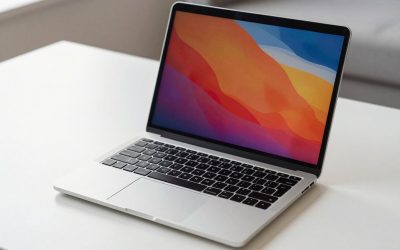
No Dedicated GPU: Apple MacBook Air 15-inch (M5)
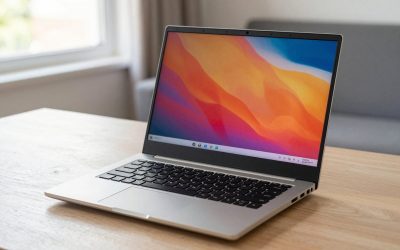
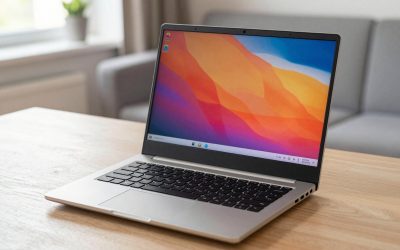
If your idea of light gaming is casual and mostly not tied to Windows-only titles, an integrated-graphics laptop is worth considering. The 15-inch MacBook Air with the M5 chip lists 16GB of memory, a 512GB SSD and a 15.3-inch Liquid Retina display. It weighs about 3.3 lb with a 66.5Wh battery, and Apple rates it at up to 18 hours of video. Tom’s Guide said it handles web use, video editing and some AAA gaming. Pricing is reported between about $1,256 and $1,499.
Pros: Very light, long rated battery life, no fan noise. Cons: macOS has a narrower game library, it has no fan and may throttle in long sessions (an inference, not a benchmark), and it costs more than the RTX 5050 laptops above. Best for: People who want an everyday laptop that also runs casual games.
Frequently Asked Questions
What counts as light gaming? We use it to mean casual, indie and esports-style play rather than demanding new releases. Since we have no fps data, we cannot promise how any title will run, so check reviews for the specific games you care about.
Is an RTX 5050 enough for casual gaming? It is the entry tier of the current lineup and a reasonable starting point for this kind of play, but we have not tested it. If your games are more demanding, step up to an RTX 5060.
Should I buy a casual gaming laptop for school or work too? Yes, if you pick a lighter model. The weights and battery figures above differ a lot, so compare them: the Nitro V 16S AI and MacBook Air are the lighter choices, while the LOQ is the heaviest.
Are these prices current? No. Prices come from published roundups and listings, were not live-checked and may have changed or expired, so confirm the current price and exact configuration before you buy.
More from Amazon
Programs that pair well with the guide above. Offers and eligibility are set by Amazon and may change.
Free shipping on eligible items, Prime Video and more. Eligible new members can start with a free trial.
Start a Prime free trialAudiobooks and podcasts to listen to on the go. Eligible new members can start with a free trial.
Try Audible freeAd-free music streaming. Eligible new subscribers can start with a free trial.
Try Music Unlimited freeA free business account with business pricing and bulk-buying tools for work, shop or home office.
Create a business accountAs an Amazon Associate we earn from qualifying purchases.
Write Your Review
No reviews yet. Be the first to share your experience!