
Key takeaways
- Battery life: cold, damp buildings drain batteries faster; carry spares in an inside pocket.
- Storage: high-bitrate video fills cards quickly. Carry extra high-endurance cards rated for continuous recording.
- Audio: built-in microphones capture echo and wind well, and may pick up your own breathing. A lavalier or small external mic can help, if the camera supports one.
- Heat management: compact cameras may overheat during long takes; check recording limits.
- Durability: dust and moisture resistance protects against dirty environments.
- Screen or app: confirm you can check framing quickly, since a wearable lens cannot be seen.
For hands-free urban exploration filming, the best wearable camera is small, light, stable in motion, and good in dim spaces, with a chest or head mount that keeps your hands free to climb and navigate. Prioritize stabilization, low-light performance, battery life, and a wide field of view. Equally important, explore legally and safely: get permission, avoid structurally unsafe buildings, and respect private property.
Safety and Legality Come Before Gear
Abandoned buildings can contain asbestos, mold, unstable floors, broken glass, and animals. Trespassing is illegal in many places, so seek permission from owners or choose sites open to the public or organized tours. Bring a respirator suited to dust and mold where appropriate, sturdy boots, gloves, and a partner who knows your route. A wearable camera helps because both hands remain free, but it does not make a risky location safe.
Think about privacy and ethics too. Avoid filming people, and avoid revealing locations that could lead to vandalism or injury if the owners prefer discretion.
Wearable Camera Formats
| Format | Mounting | Strengths | Drawbacks |
|---|---|---|---|
| Action camera | Chest harness, helmet, head strap | Stabilization, rugged, wide lens | Smaller sensor, can struggle in darkness |
| Body-style clip camera | Clip on strap or collar | Light, discreet, long recording | Fewer mounting options |
| Thumb-sized camera | Magnetic or clip mount | Very light, flexible placement | Limited battery and storage |
| 360 camera | Helmet or pole | Capture all directions, reframe later | Stitching, heavier editing workload |
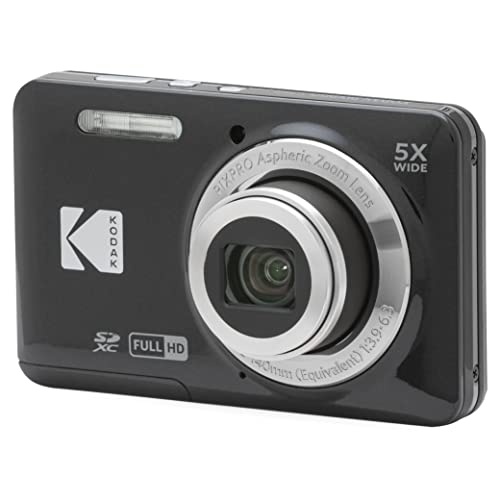
| Mirrorless or compact on chest rig | Chest rig or strap | Best image quality | Bulky, less safe when climbing |
Low-Light Performance and Lighting
Abandoned interiors are dark, with mixed window light and deep shadows. Cameras with larger sensors, bright lenses, and good noise handling will perform better. Stabilization is vital because low light often forces slower shutter speeds that magnify shake. Rather than relying on camera settings alone, bring light. A head-mounted rechargeable headlamp illuminates the path, and a small panel or flashlight with a diffuser can fill walls without blowing out windows.
Shooting in a log or flat profile, if the camera offers one, helps retain detail in highlights and shadows, though it requires grading in post. Beginners may prefer standard color profiles to avoid complicated workflows.
Stabilization, Field of View, and Mounting
Walking and climbing generate constant motion. Electronic or gimbal-like stabilization smooths the footage, but heavy cropping can narrow the field of view. A wide lens captures the scale of rooms and corridors, but extreme wide angles distort edges and can make halls look stretched. Many creators choose a medium-wide setting for walkthroughs.
A chest harness usually yields the most stable perspective, keeping the horizon level as you move. Head mounts follow your gaze and can feel more natural but add shake. A chest mount harness for an action camera frees your hands and sits securely under a backpack strap. Test mounts on stairs and ladders to ensure they do not shift.
Battery, Storage, and Audio
- Battery life: cold, damp buildings drain batteries faster; carry spares in an inside pocket.
- Storage: high-bitrate video fills cards quickly. Carry extra high-endurance cards rated for continuous recording.
- Audio: built-in microphones capture echo and wind well, and may pick up your own breathing. A lavalier or small external mic can help, if the camera supports one.
- Heat management: compact cameras may overheat during long takes; check recording limits.
- Durability: dust and moisture resistance protects against dirty environments.
- Screen or app: confirm you can check framing quickly, since a wearable lens cannot be seen.
Practical Tips for the Shoot
Scout in daylight when you can, and record short clips rather than a single long take, which reduces risk of corrupted files. Clean the lens often because dust and condensation ruin footage. Mark your route and note exits. Back up footage the same day, and keep spare gear in a waterproof pouch. A high endurance microSD card is a sensible choice because it is built for continuous recording.
Storytelling matters as much as equipment. Hands-free footage can feel monotonous unless you plan shots: pause at doorways, look slowly across rooms, and linger on details like graffiti, old signage, or the way daylight enters through broken windows. Narration recorded afterward is often cleaner than speech captured in an echoing space. Consider how you will handle the first-person perspective: a camera at chest height records your hands and tools, which can help viewers follow your movement, while a head mount captures what you are looking at. Keep the lens pointed slightly downward to include floor hazards for context. Finally, label your clips by location and date as you offload them, since urban exploration projects tend to produce dozens of similar-looking hallways and it is easy to lose track.
Stabilization settings also deserve testing before an outing. Some cameras offer a horizon-leveling mode that keeps the image upright as you tilt, which looks impressive on stairs but crops the picture further. Try both settings in your own hallway and compare the footage on a large screen, not only on the camera display. Footage that looks smooth on a small screen can reveal wobble when enlarged, so checking early prevents disappointment after a long trip.
Frequently Asked Questions
Is an action camera or a 360 camera better for urbex?
Action cameras are simpler and quicker to edit. A 360 camera lets you choose angles later but demands more editing time and storage.
Do I need a gimbal?
Not usually. Modern in-camera stabilization handles walking well, and a gimbal is awkward when climbing.
How do I keep footage from looking flat in dark rooms?
Add portable lighting, use the camera’s low-light mode if available, and expose carefully for the brightest windows rather than the darkest corners.
FAQ
Is an action camera or a 360 camera better for urbex?
Do I need a gimbal?
How do I keep footage from looking flat in dark rooms?
More from Amazon
Programs that pair well with the guide above. Offers and eligibility are set by Amazon and may change.
Free shipping on eligible items, Prime Video and more. Eligible new members can start with a free trial.
Start a Prime free trialAudiobooks and podcasts to listen to on the go. Eligible new members can start with a free trial.
Try Audible freeAd-free music streaming. Eligible new subscribers can start with a free trial.
Try Music Unlimited freeA free business account with business pricing and bulk-buying tools for work, shop or home office.
Create a business accountAs an Amazon Associate we earn from qualifying purchases.



Write Your Review
No reviews yet. Be the first to share your experience!